Melvor Idle is a fun game and all, but… It’s not very idle at times. Log in every two hours to harvest carrots from your farm? Python can fix that!
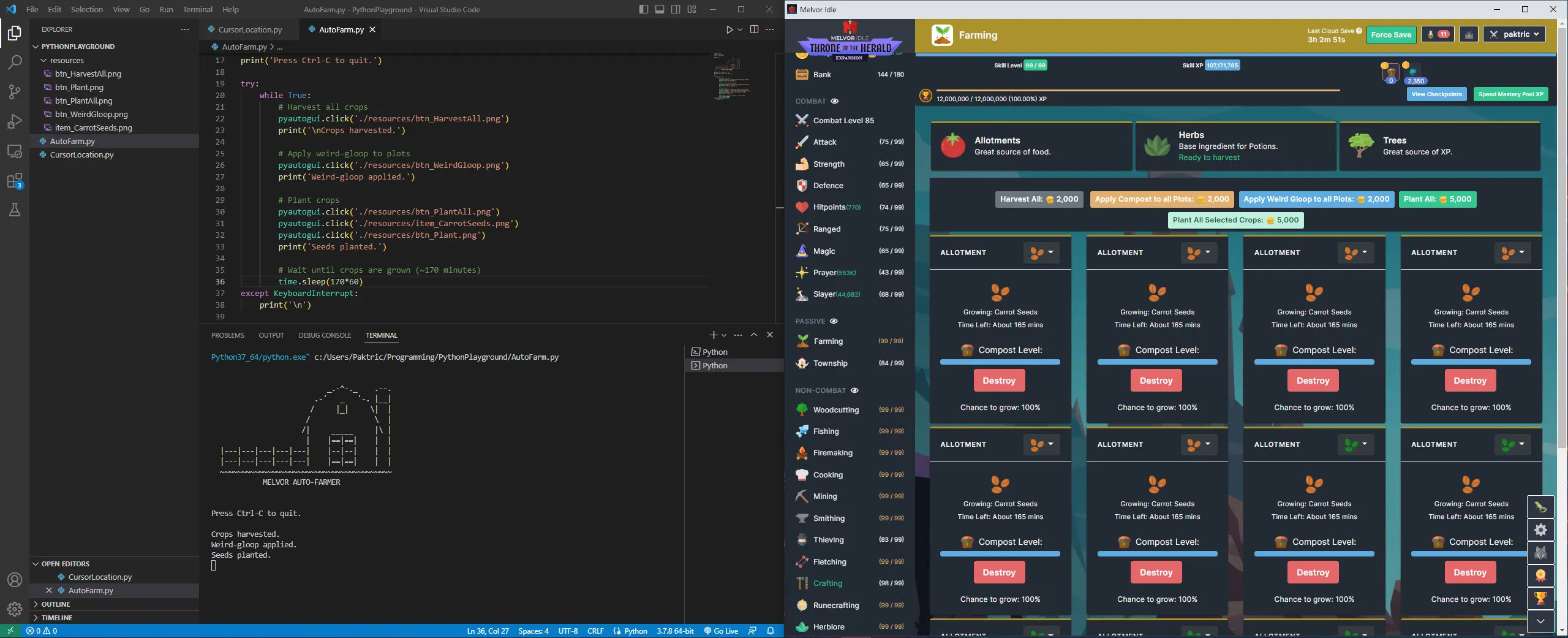
I’d heard of PyAutoGUI but had never used it, so my first step was reading the documentation. There were some great snippets of code that showed what PyAutoGUI was capable of. I created an empty project and started playing around.
PyAutoGUI has a cool feature where you can provide a picture of the button you want pressed and the program will find that button and click it. I opened my game and mapped out the sequence of buttons I needed to press in order to complete my repetitive farming tasks. I took screenshots and cropped the buttons out and put them into their own resources folder. Then, I coded up the sequence of button presses that I needed the program to perform. I put the finished sequence in a loop with a sleep function that waits between crop growth. I tested the program and it worked, so I let it run for a few hours.
Occasionally, I had issues with the button auto-click not working. I did some research and found that other people had the same issue when using the image feature, so I adjusted my program to click on x-y screen coordinates instead. This fixed my issue and I was able to run the program for multiple hours at a time.
This was a quick and fun little project to work on. I only automated a small task, so I’d like to see what else I can automate within the game. Oh, and don’t worry — Melvor Idle is a single player game, so I’m not gaining an unfair advantage over others.